Early accessMax is free for your first monthiPhone · Android →

Just say it.
Iris runs your phone.

It opens the app, finds it, picks it, and stops right before the final tap. One sentence is all it takes.

Demo0:00

    How to call

    Hold the
    power button.

    The Iris bar opens over any app. Type, speak, or just talk it through.

    TypeVoiceLive conversation

    What it is

    An AI that answers.
    An AI that taps.

    Most assistants stop at an answer. Iris reads the screen and taps. No API needed: if your finger can use it, so can Iris.

    Film

    Tap, tap, done.

    Features

    Your apps,
    used for you.

    Order a whole pepperoni pizza from Little Italy Pizza on Uber Eats

    Order it

    Opens the store, finds the item, picks the size and fills the cart. Then it stops right before payment and waits for you to tap “Place order”.

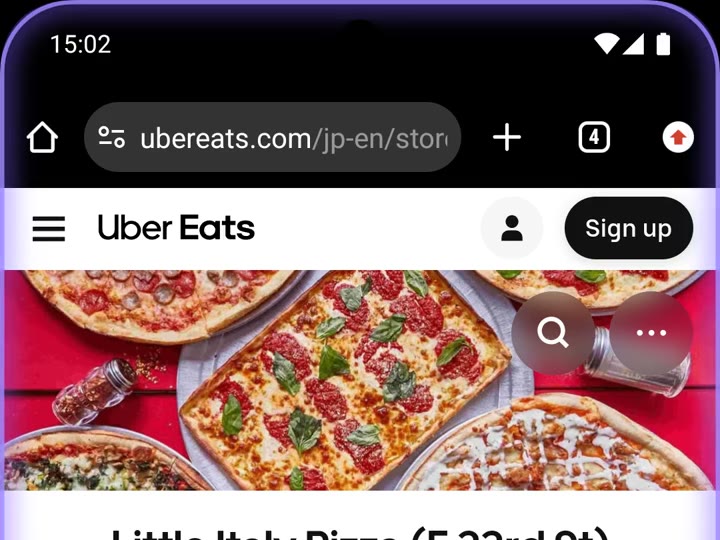
    • Open Little Italy Pizza
    • Pepperoni pizza · whole pie
    • Check the cart · subtotal $33.99
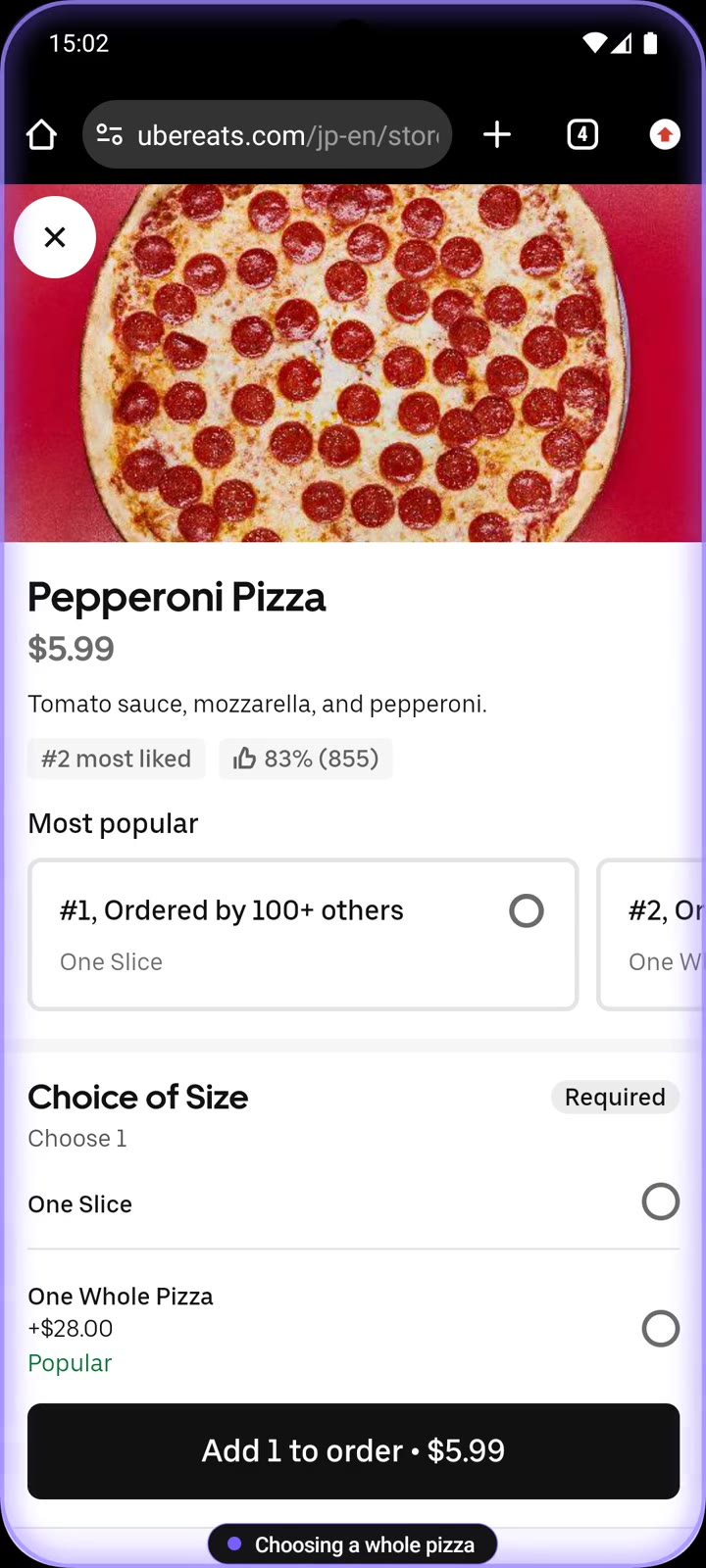
    Iris on an Uber Eats item page
    Set an alarm for 7 AM tomorrow

    Set it up

    Opens Clock, adds an alarm, sets the time and checks that it is on. Buried settings, one sentence away.

    • Open Clock
    • Add an alarm · 7:00 AM
    • Check it is on
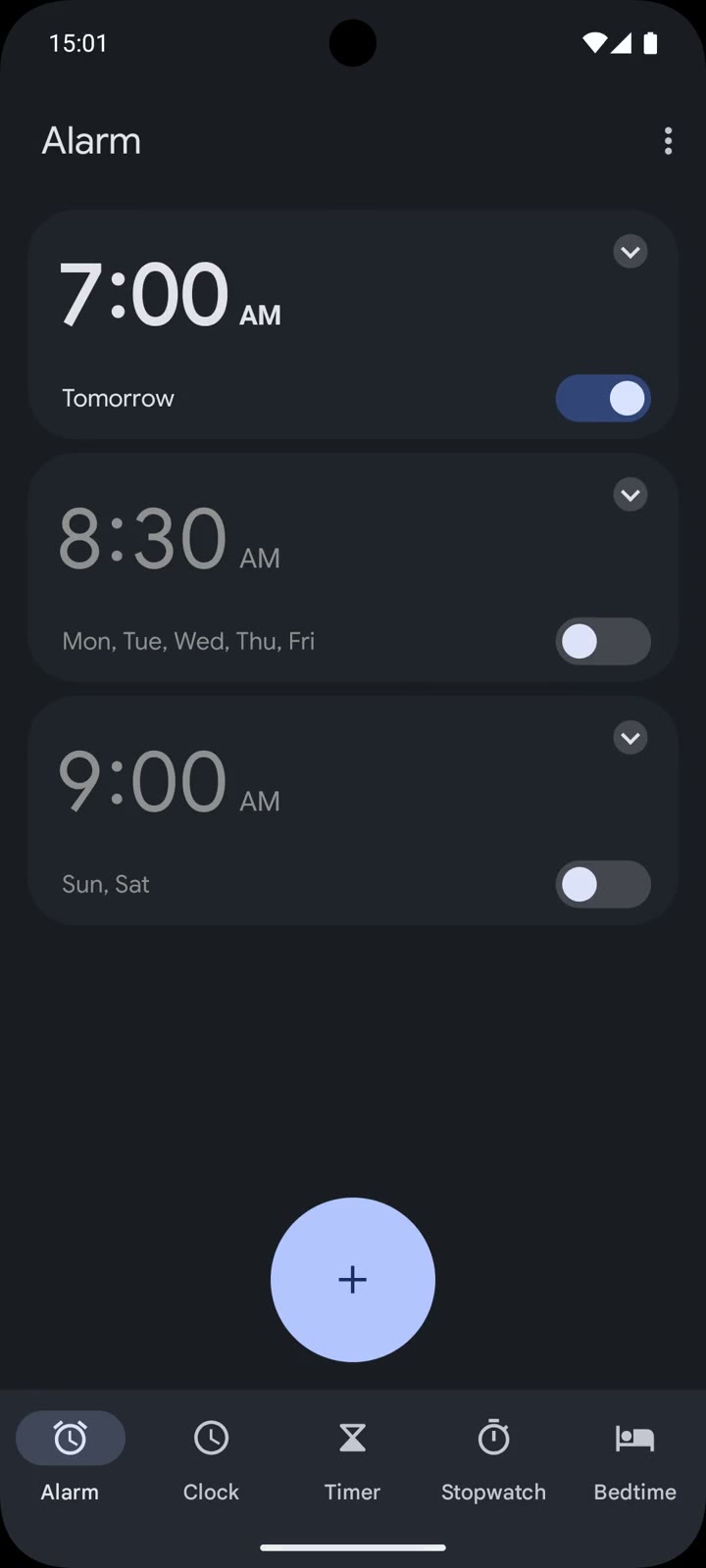
    A 7:00 AM alarm added in Clock
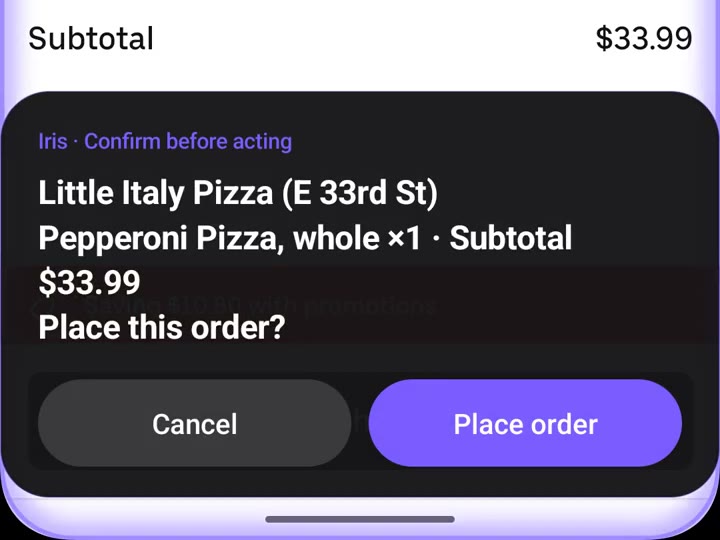
    Confirmation card

    Asks before it taps

    Ordering, sending, posting, deleting. Before anything that can’t be undone, Iris stops and confirms the details and price, on a card and out loud. Tap “Place order”, or “Cancel” to end it.

    • Little Italy Pizza (E 33rd St)
    • Pepperoni Pizza, whole ×1 · subtotal $33.99
    • Place this order?
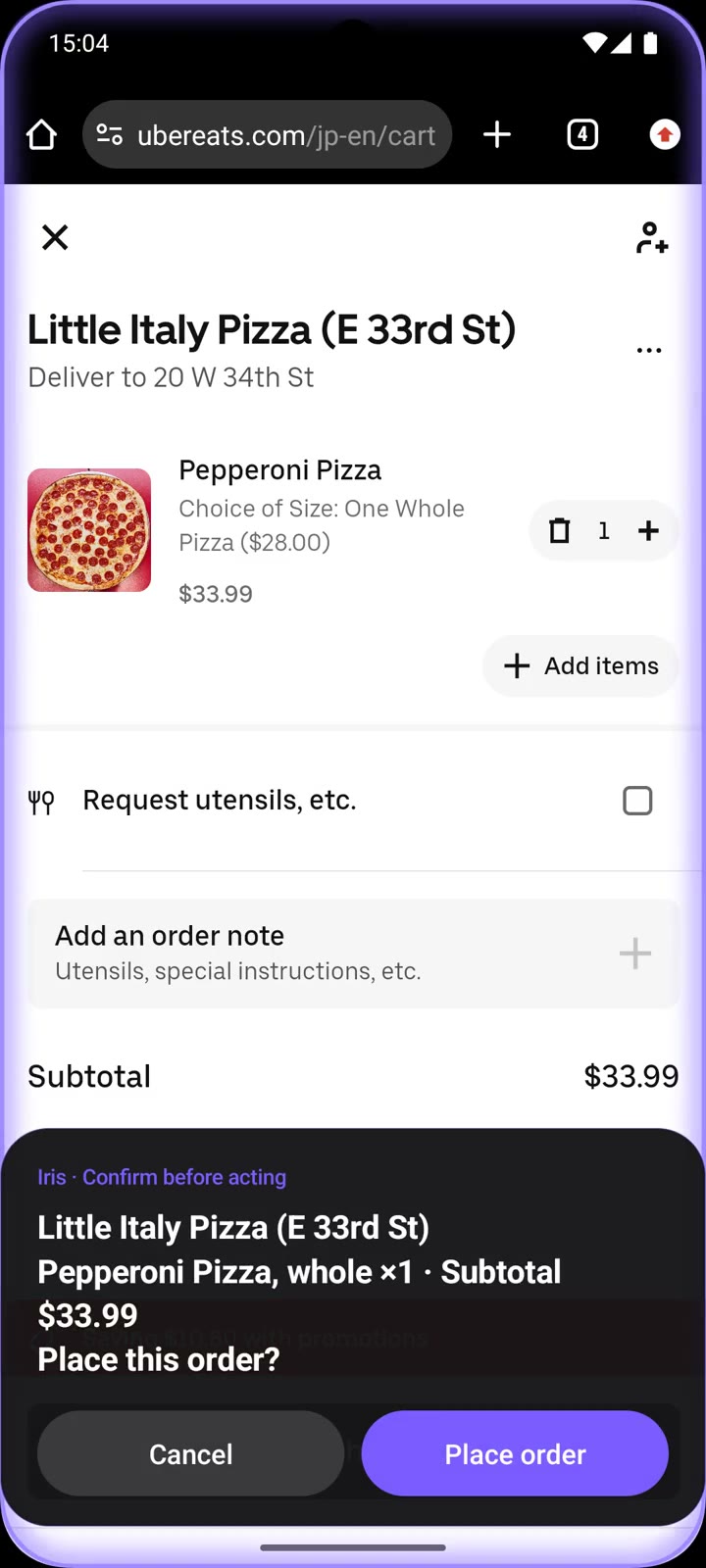
    The confirmation card “Place this order?” over the cart

    Scenes

    Everyday chores,
    in one sentence.

    Hold power → Clock

    From bed, lights off

    “Wake me up at 7 tomorrow”

    Google → Clock

    Hands full in the kitchen

    “How long do I boil a soft-boiled egg? Set a timer”

    Weather → Messages

    Mom’s trip tomorrow

    “Check tomorrow’s weather in Chicago and text Mom what to pack”

    Real-time talk

    Change your mind mid-task

    “Text Sam that I’m running late”

    Deep in Settings

    Your parents’ phone, easier to read

    “Make the text bigger and easier on my eyes”

    Stops at the confirmation card

    Dinner, from the couch

    “Order a whole pepperoni pizza from Little Italy Pizza on Uber Eats”

    Across apps

    From app to app,
    in one request.

    Look it up, decide, then act in another app. Iris handles the back-and-forth.

    Google→Clock

    “How long do I boil a soft-boiled egg?
    Set a timer”

    Finds “7 to 8 minutes for a jammy yolk” on Google, then enters 7:00 in Clock and starts it.

    Weather→Messages

    “Check tomorrow’s weather in Chicago
    and text Mom what to pack”

    Reads Thursday’s forecast, sunny with a high of 68°F and a low of 51°F, and suggests a light jacket. It stops at a confirmation card before sending.

    Real-time talk · Max

    Talk while it works.
    Change course anytime.

    Keep talking while it works. “Actually, make it thirty.” Iris answers and changes course on screen, right away.

    MAX PLAN
    YouText Sam that I’m running late
    IRISSure. How late should I say?
    YouAbout fifteen minutes.
    → writes “Running about 15 minutes late”
    YouActually, make it thirty. Traffic’s bad.
    IRISNo problem. Changing it to 30 minutes.

    While it works

    While it works,
    your screen says so.

    The screen edges glow and a pill names each step. Stop it any time.

    The screen edges glowing violet while Iris works

    The edges glow

    A thin glow around the screen, only while it works. You always know whether it’s you or Iris.

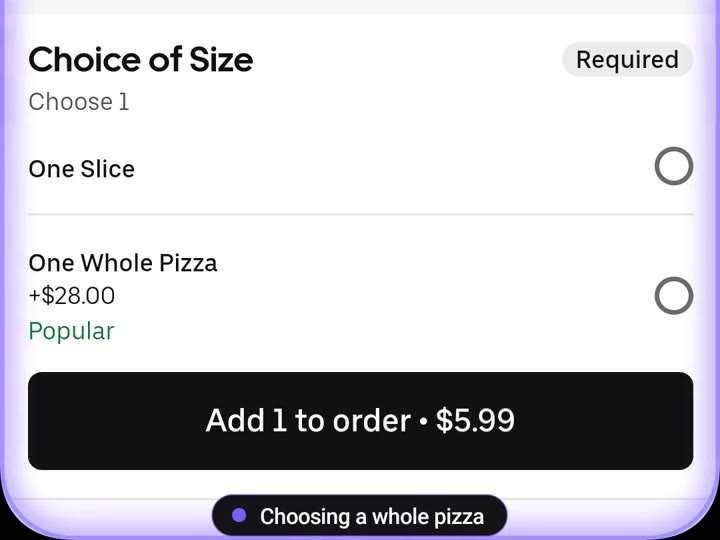
    The pill at the bottom reads “Choosing a whole pizza”

    Every step, named

    “Opening the store.” “Adding to cart.” The pill names each action in a few words.

    The card “Place this order?” with Cancel and Place order buttons

    You make the last tap

    Paying, sending, publishing: anything that can’t be undone always gets a confirmation card first.

    Works with your apps

    The apps you already use.
    As they are.

    No integrations. No special versions.

    Privacy & control

    The last tap
    is always yours.

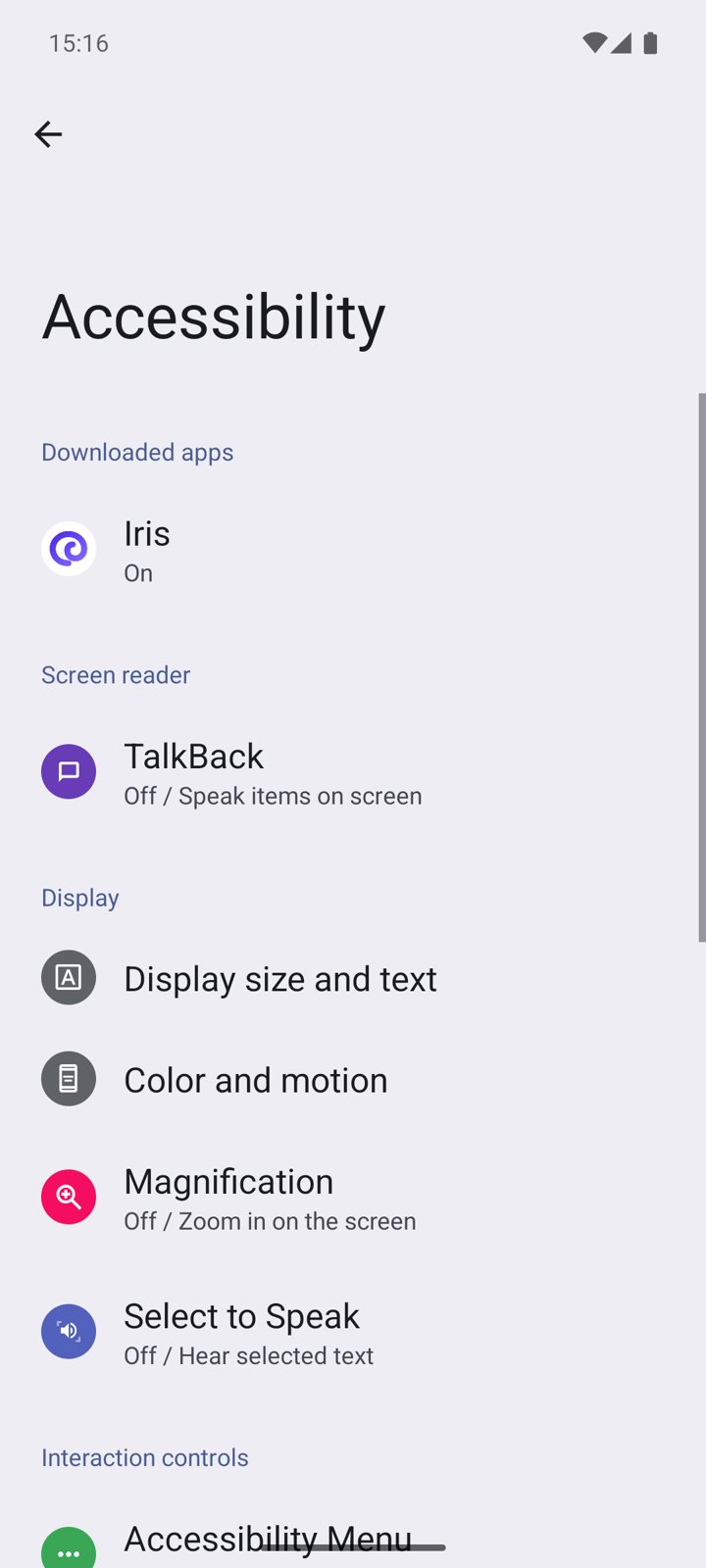
    On Android, Iris runs as an accessibility service. One switch turns it on or off, and it’s yours.

    Android Settings › Accessibility, with Iris (On) under Downloaded apps
    01

    Always asks before paying, sending or posting

    Anything that moves money or can’t be undone is confirmed on a card and out loud first.

    02

    Never types passwords or card numbers

    At a sign-in or payment form, Iris stops and hands the phone back to you. It never enters them itself.

    03

    Works only while it glows

    While it works the edges glow and the pill names the current step. You can stop it any time.

    04

    Reads only during a task

    Screen content goes to the AI only while a task runs. Turn the accessibility switch off and it stops completely.

    Pricing

    Start free.
    Go Max for every day.

    Limited
    $0/ mo
    No credit card needed
    • One task a day
    • Popular apps (food, marketplaces, chat, settings)
    • Voice and text commands
    • Confirmation before acting
    • Real-time conversation mode
    • Multi-app tasks and schedules
    Start free
    Early access · first month $0
    Max POPULAR
    $15$0/ first month
    Then $15/mo · cancel anytime
    • Unlimited tasks *
    • Real-time conversation mode
      Talk to Iris while it works and change course mid-task: “actually, make it a medium”
    • Every app
    • Tasks across several apps
    • Schedules and routines (“every morning at 7…”)
    • Priority access to the most capable models
    Try Max free for a month

    * Subject to a limit on AI token usage. Prices in USD before tax; subject to change.

    FAQ

    Questions.

    Is it secure?

    Iris only reads the screen and taps or types for you. It can’t do anything your finger can’t. It won’t change system settings, install apps on its own, or enter passwords or card numbers.

    Could it act without me knowing?

    No. Iris moves only when you ask. While it works the screen edges glow, and you can stop it any time. Anything involving money always gets a confirmation card first.

    What happens to my data?

    We don’t collect or store it. Screen content is used only to carry out the task, then discarded. It is never used to train AI.

    Early accessMax is free for your first month

    Be one of
    the first to try it.

    Early access for iPhone and Android.
    For now, your first month of Max is free.

    We’ll only use your email for early-access updates. Privacy